 Sensor suhu serat optik INNO ,sistem pemantauan suhu.
Connect the distributed fiber optic linear temperature fire detector to a 24V reliably grounded DC power supply (to ensure the normal operation of the instrument, the power supply voltage cannot be lower than 85% of the rated voltage and cannot be higher than 110% of the rated voltage). After confirming the correct connection, insert the power switch key and rotate it 90 degrees clockwise to start the power. The front panel power indicator light will also light up. Setelah 15 minutes of system preheating, itu serat optik terdistribusi fire detector entered working mode. Peringatan: To ensure the personal safety of testing personnel, please confirm that your power supply system is reliably grounded before connecting to the distributed fiber optic linear temperature fire detector.
Running Main Interface: After the system is turned on and running, it enters the running main interface. The running main interface can be divided into fire alarm interface, self check interface, setting interface, and recording interface.
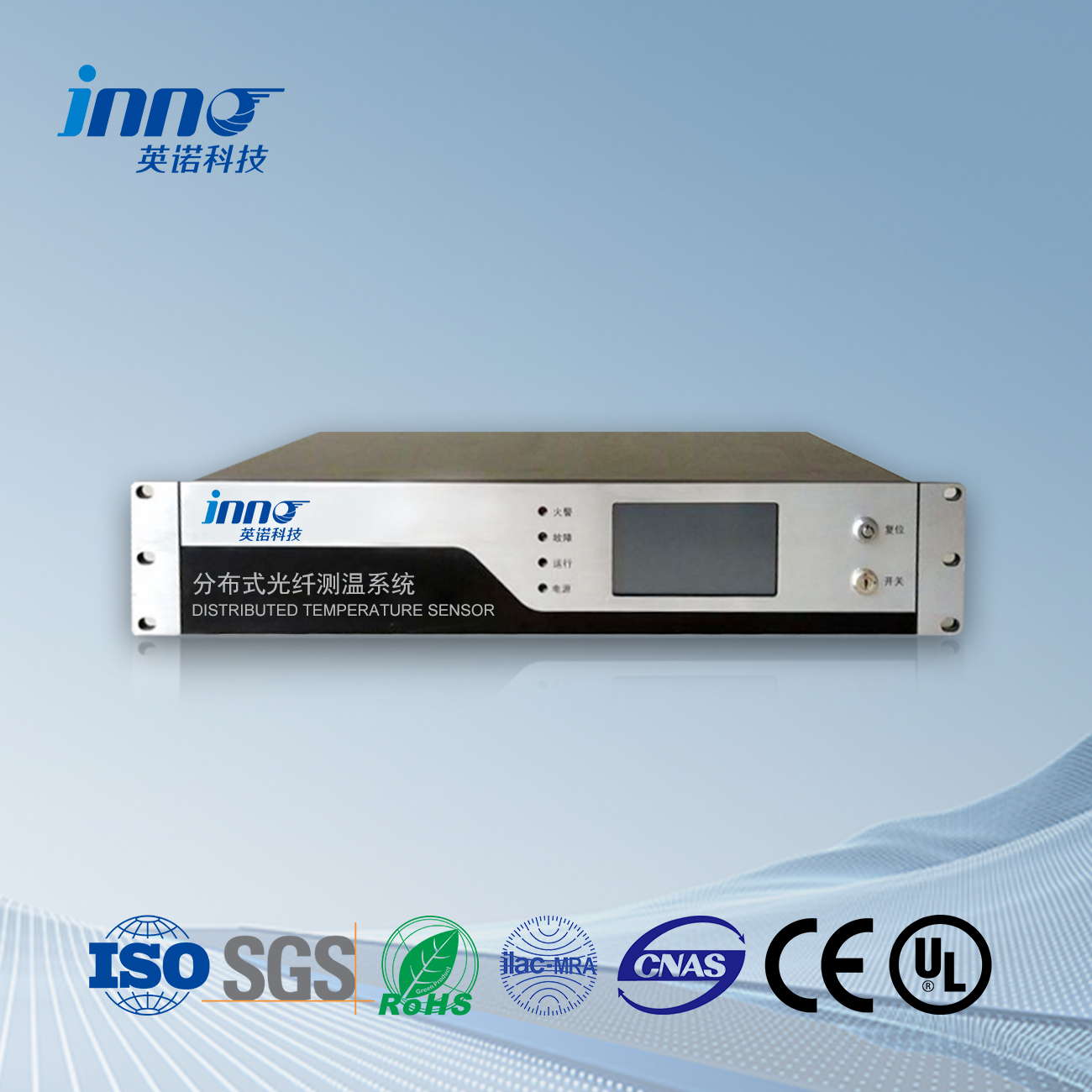
Indicator lights: power indicator light, operation indicator light, fault indicator light, and fire alarm indicator light.
Power indicator light: When the detector is powered on, this indicator light lights up and the color is green;
Operation indicator light: When the detector enters the system and is under normal monitoring, this indicator light will light up and the color will be green;
Fault indicator light: When the detector detects a fault, this indicator light lights up and the color is yellow
Fire alarm indicator light: When the detector detects a fire alarm (differential or constant temperature), this indicator light lights up and the color is red.
Mute button: This button is a mute function button. When the system emits a fire alarm or malfunction sound, press this button to silence it.
Function button: This button is a switch function button between various display interfaces.
Flip up button: This button is the page up button. When in the query record interface, press this key to display the content flipping forward.
Flip down button: This button is the page down button. When querying the record interface, press this key to display the content and scroll back. Pada saat yang sama, press this key in the self check interface to start the self check. For specific operations, please refer to the basic operations in the next section.
(1) The LCD screen can be divided into fire alarm interface, self check interface, setting interface, and recording interface according to the display interface. Switch between different interfaces using the “Fungsi” button on the panel. When the user presses the “Fungsi” button, the displayed content switches to the corresponding display interface. The name and icon of the function in the interface light up, indicating that it has been switched to the operation of the corresponding function.
(2) Fire alarm interface: Real time display of current fire alarm and fault information. The fire alarm and fault information is displayed in columns, in the format of serial number, waktu, jenis, and location. The fire alarm interface also includes the current number of fire alarms and faults, making it easy for users to count the number of fire alarms and faults. Pada saat yang sama, the temperature setting value is also displayed after the total number of fire alarms. Synchronize display of system time and current detector name at the bottom of the fire alarm function interface
(3) Format informasi alarm dan kesalahan kebakaran: Setiap alarm kebakaran atau informasi kesalahan ditampilkan berturut-turut. Setiap baris alarm kebakaran dan informasi kesalahan dibagi menjadi empat bagian: nomor seri, waktu, tipe detektor, informasi lokasi, dan jenis alarm kebakaran (suhu diferensial, suhu tetap). Nomor seri: Nomor seri yang diberi nomor sesuai urutan kronologis terjadinya alarm kebakaran atau malfungsi, dengan alarm kebakaran dan informasi kerusakan diberi nomor terpisah. Waktu: Waktu ketika alarm kebakaran atau malfungsi terjadi, ditampilkan dalam bentuk xxxx tahun xx bulan xx hari xx jam xx menit xx detik.
Tipe detektor: Detektor kebakaran termal linier serat optik terdistribusi, menampilkan “linier”.
Informasi lokasi: menunjukkan lokasi alarm kebakaran atau malfungsi. Tunjukkan informasi lokasi kebakaran atau kerusakan dengan “XX saluran XXXX meter”.
Jenis alarm kebakaran: menunjukkan jenis alarm kebakaran yang terjadi, suhu konstan atau diferensial.
(4) Fungsi uji mandiri sistem: Pengguna dapat beralih ke antarmuka swauji dengan menekan tombol “Fungsi” button, ikuti petunjuk di layar, lalu tekan “Balik ke Bawah” tombol untuk menjalankan program uji mandiri sistem. Konten dan urutan inspeksi diri: Lampu indikator pengoperasian berkedip dua kali, lampu indikator kesalahan berkedip dua kali, lampu indikator alarm berkedip dua kali, bel mengeluarkan suara kesalahan dan suara alarm kebakaran masing-masing, layar tampilan menggesek untuk mendeteksi, dan pemeriksaan mandiri selesai. Lampu indikator berkedip dua kali, lampu indikator alarm berkedip dua kali, bel mengeluarkan suara kesalahan dan suara alarm kebakaran masing-masing, layar tampilan menggesek untuk mendeteksi, dan pemeriksaan mandiri selesai.
(6) Rekam antarmuka: Menampilkan riwayat alarm kebakaran dan informasi kesalahan, dengan maksimal 999 alarm kebakaran dan informasi kesalahan ditampilkan. Antarmuka perekaman menampilkan konten yang sama dengan antarmuka alarm kebakaran, dan data historis dapat ditanyakan menggunakan “ke atas” Dan “turun” tombol. Saat memasuki antarmuka perekaman, itu “Alarm Kebakaran” bilah rekaman di bagian bawah antarmuka perekaman menampilkan batas, menunjukkan bahwa permintaan catatan alarm kebakaran sedang berlangsung. Saat ini, Anda dapat menekan “Ke atas” Dan “Turun” tombol untuk menanyakan catatan alarm historis.

Sensor suhu serat optik, Sistem pemantauan cerdas, Produsen serat optik terdistribusi di Cina
 |
 |
 |